
Build Animation from an Image: Review Motion Quality
A build animation needs to keep the model recognizable as it changes. Use this review to spot motion errors, decide whether to regenerate, and know when precise animation needs a different workflow.
Define the moment the viewer should understand
Choose the main idea of the clip: a base becoming a vehicle, a building gaining its upper levels or a finished model being revealed. This gives you a review criterion. It is not a promise that you can direct every stage with controls in the current BrickGPT studio.
If an axle connection or moving mechanism is the point of the video, use actual footage or a checked digital model. A plausible movement in an AI image sequence is not evidence that the mechanism works.
Explore sample outputs
No sign-in required.
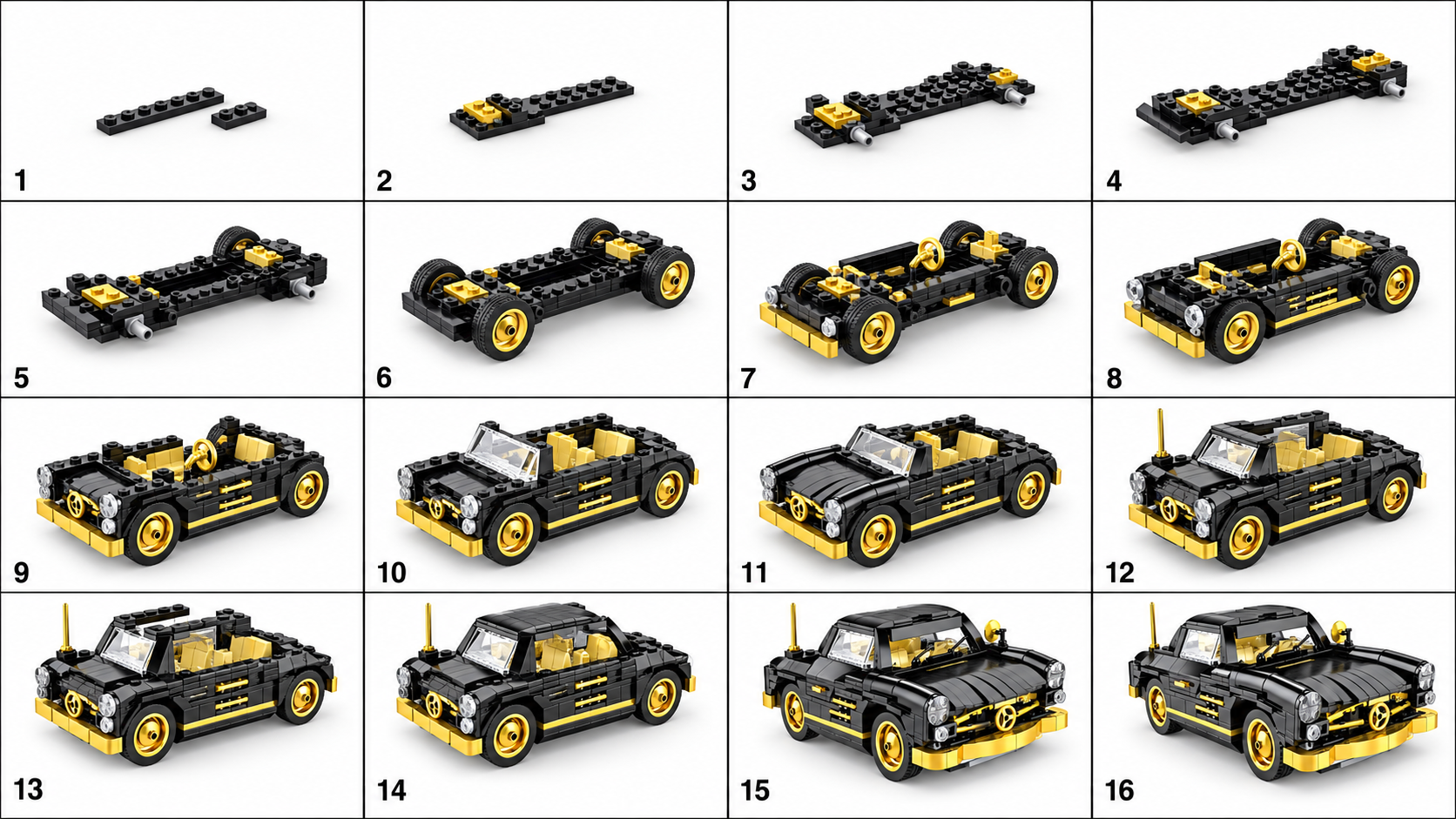
Watch for four continuity problems
↔ Scroll sideways to read all columns
| Problem | How to spot it | What to do |
|---|---|---|
| Morphing | A wheel, window or body panel changes shape while moving. | Reject the faulty moment for technical explanation; another generation may still need review. |
| Camera drift | The background or viewing angle shifts during assembly. | Decide whether the viewer can still compare stages. Avoid treating the shift as a construction step. |
| Sudden bulk assembly | An entire cabin or wall appears in one jump. | Use it only as a visual overview, or replace that passage with more controlled footage. |
| Identity drift | The finished proportions or signature details differ from the source. | Compare stills with the original and do not publish it as an exact depiction. |
Change the input for a reason
A source photo with a clipped edge, strong reflection or clutter makes it harder to judge the generated result. Correct one of those observable problems before trying again. Keep a copy of the old image and result so you can tell whether the change helped.
Do not expect a new crop to reveal a hidden connection. If precise motion depends on unseen parts, collect more evidence for a manual animation workflow instead of repeatedly generating from the same limited view.
Review the clip in four passes
- Watch at normal speed to judge whether the overall sequence is understandable.
- Pause or use slower playback around the first confusing moment. Check the model’s shape before and after it.
- Scrub to the final frame and compare the silhouette and distinctive features with the source.
- Watch once more at the intended display size. Small details that are visible full screen may disappear on a phone.