
AI LEGO Instructions: Can You Actually Build From Them?
Before choosing an AI LEGO instruction generator, decide what the output must prove. A steps image can illustrate a build story. To build the model with real parts, you also need valid connections, a parts inventory and a reproducible sequence. Start with the task below.
Which workflow fits your task?
↔ Scroll sideways to read all columns
| Your task | Start here | Check before relying on it |
|---|---|---|
| Find instructions for a set you own | Official LEGO building instructions, using the set number. | The set number and version match your model. |
| Publish instructions for a custom build | A verified digital model or a documented physical assembly, with an instruction editor. | Parts, connections, intermediate support and step order are reproducible. |
| Explore the BrickGPT research project | The research project, paper and official repository. | Supported parts, setup requirements and the research limitations. |
| Create a model showcase board and video | BrickGPT.online public examples and image workflow. | The output keeps the appearance you need and works for your presentation. |
| Turn a portrait or pet into brick-style art | An image generator or editor with relevant examples. | Whether it delivers an image, a model file, or verified instructions. |
Five checks for instructions you can build from
- Parts: are the types and quantities specified? A picture resembling a parts list does not establish an accurate inventory.
- Sequence: can each stage be reached from the previous one? Identify unexplained large additions or pieces that disappear.
- Connections: what evidence supports the hidden attachments? Ask for model data, additional views or a physical build record.
- Access and support: can the parts actually be inserted in that order, and will intermediate assemblies stay supported?
- Reproduction: has someone built it from the instructions? A completed render or a coherent video alone is not a reproduction test.
Why a photo leaves unanswered questions
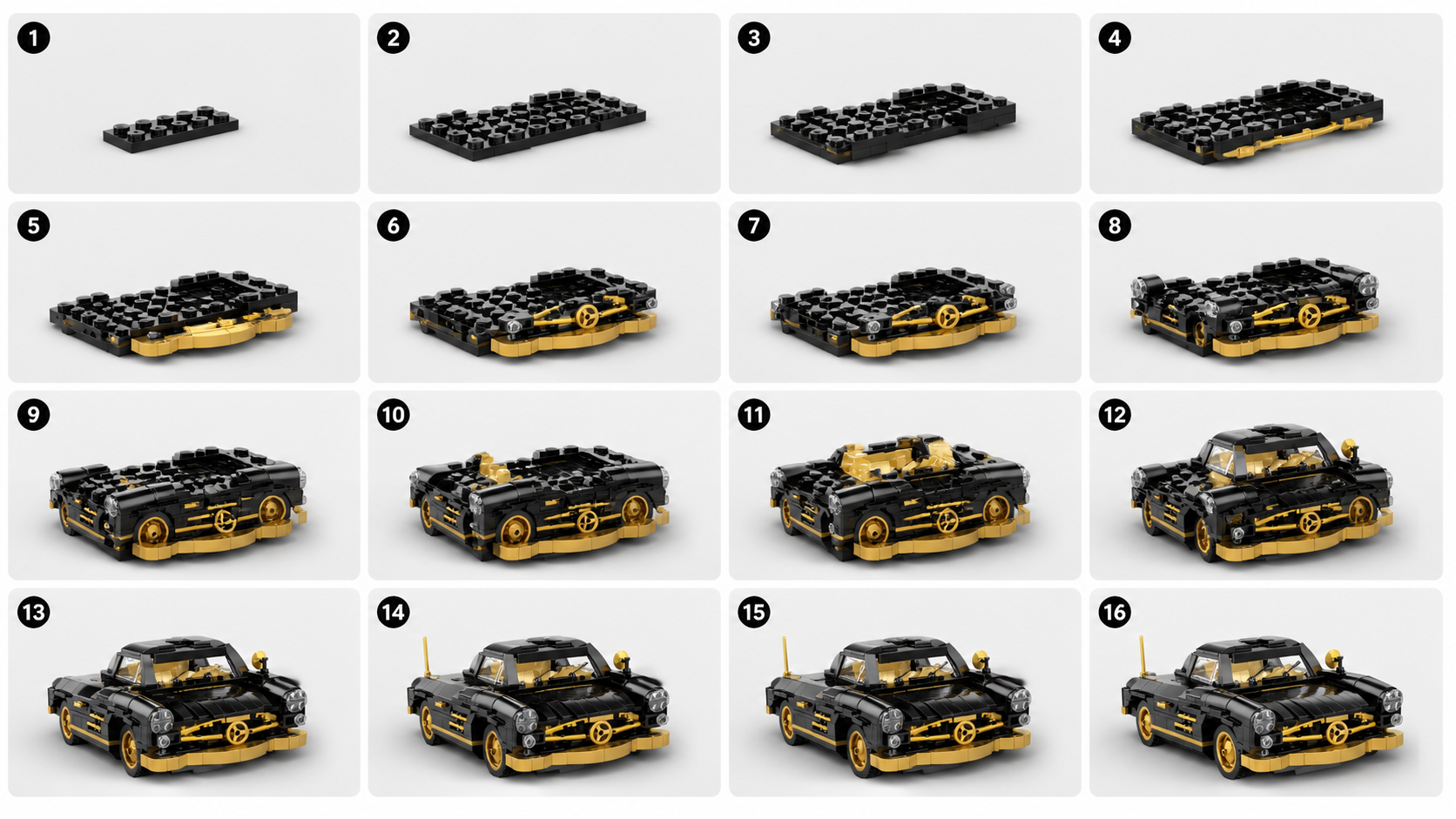
A front view can show the outside while hiding the rear, underside and internal supports. Several different assemblies can produce a similar silhouette. An image model can draw plausible intermediate stages without recovering the original construction.
Use extra views and a digital or physical model when accuracy matters. If you are making presentation material, review visual consistency and describe the result accordingly.
How to evaluate BrickGPT before paying
Open a public example and compare the source photo, board and video. Look for the main shape, color scheme and visible features you need to preserve. The samples let you judge the output format without signing in.
BrickGPT.online takes a finished model image and generates an AI visual steps board and assembly video. It does not deliver an exact parts list, CAD model or physically verified instructions. Choose it when those presentation assets are what you need.
Explore sample outputs
No sign-in required.
Sources and next steps
Use the official sources below for set instructions, digital model tools and research code. Product capabilities can change; verify the required output in the source documentation before choosing a tool.