AI LEGO Instruction Generator From Photo
Use BrickGPT as an AI LEGO instruction generator: upload one finished model photo, create a 10-20 stage steps board, then optionally add video.
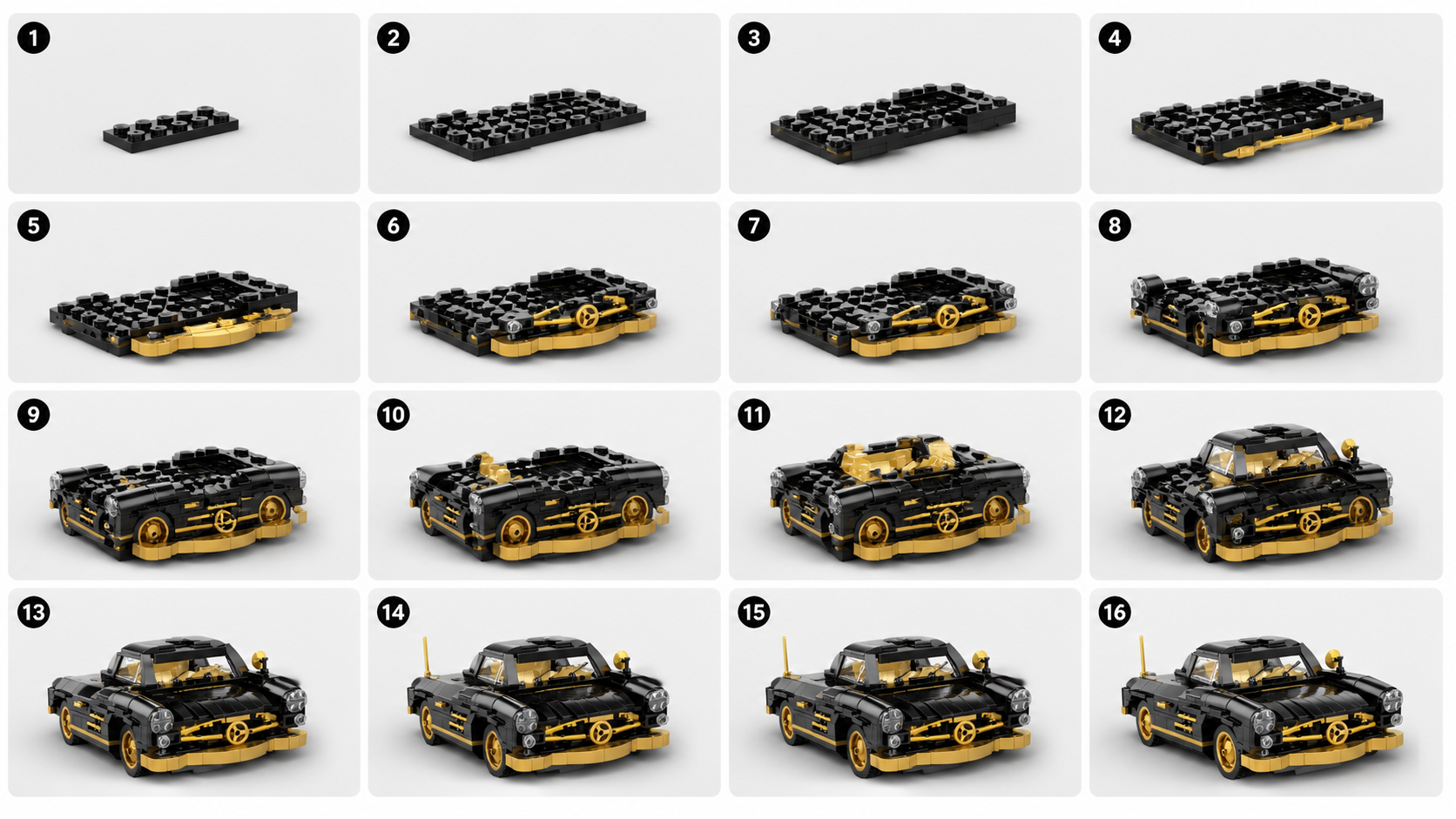
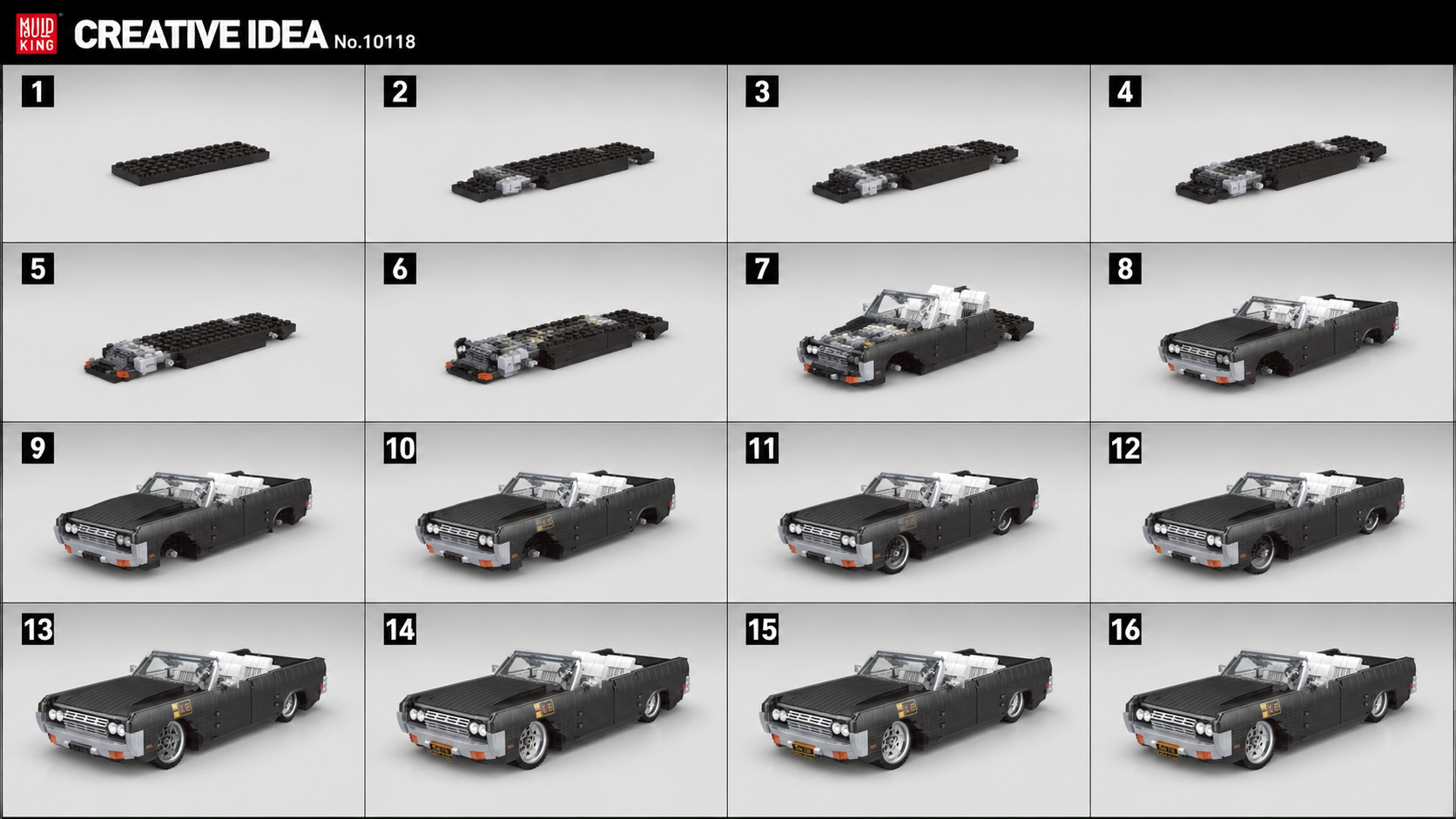
Open workflow pageUse this page to inspect real BrickGPT examples: one finished model image, one generated AI LEGO instruction board, then an optional short assembly video. It is the proof page for visitors who want to know what the generator really produces before opening the studio and using the included first full run.
Examples prove the output exists. These pages explain the same one-image workflow from instruction, steps, photo, and motion angles without opening a new direction.
Use BrickGPT as an AI LEGO instruction generator: upload one finished model photo, create a 10-20 stage steps board, then optionally add video.
Open workflow pageTurn one finished brick model image into build steps with BrickGPT: generate a readable 10-20 stage board first, then optional assembly video.
Open workflow pageTurn a photo into LEGO-style instructions with BrickGPT: upload one finished model photo, generate the steps board first, then add optional video.
Open workflow pageSee how one clear finished brick model photo becomes a LEGO-style steps board in BrickGPT, with optional assembly video for sharing.
Open workflow pageCreate a short brick assembly video from one finished model image after the build-steps board is readable in BrickGPT.
Open workflow pageA compact vehicle example showing the full loop from source model to board and final motion.
A second vehicle case that keeps the same build language with a different silhouette and palette.
A cleaner cropped motion export with no background music.
A wider composition that still fits the same build-story pipeline.
Open the studio, use the included 1 free full generation, then decide whether you need a monthly plan for more board-and-video runs.