LEGO Instructions from a Photo: Find a Buildable Route
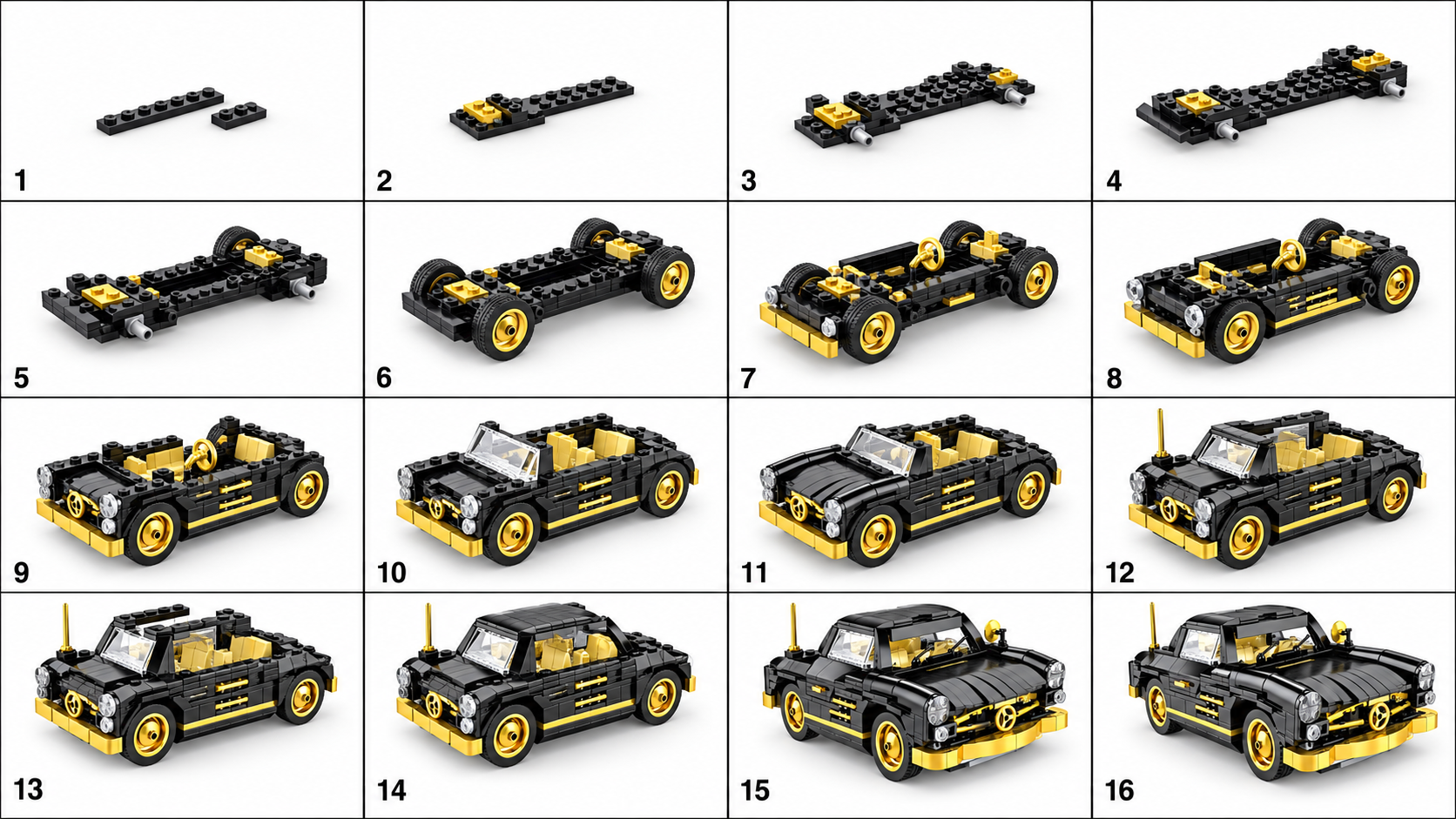
A photo can help you identify a model, but it rarely reveals every part and connection. If you want to build it with real bricks, start with the routes below. The BrickGPT sample shows a visual presentation format.
Identify the model before generating anything
Start with where the photo came from. A listing title, box, original post or designer credit may give you the exact set number or model name. Save that reference so you can distinguish similar versions and recolors.
↔ Scroll sideways to read all columns
| What you have | Next action | What to verify |
|---|---|---|
| An official set number | Search LEGO’s building-instructions service. | The number, version and model pictured match your set. |
| A custom model with a credited designer | Visit the original designer’s page for instructions or a model file. | The instructions cover the photographed version and state the required parts. |
| An unidentified model or a single image | Find the original source and look for additional views. | Do not assume an AI-generated picture describes an existing physical build. |
Collect the evidence a builder actually needs
For your own model, record the front, back, both sides, underside and any removable subassemblies. Photograph connection points before covering them. If you have permission to document another person’s model, ask for those views and a parts inventory.
These references are for identifying or manually reconstructing the model. They are not a multi-photo input feature in BrickGPT. One image can leave several different internal structures equally plausible.
For a custom build, document and test the sequence
- Obtain or create a digital model that names real parts and colors. A tool such as BrickLink Studio can support that modeling work.
- Group the build into subassemblies. Check how each one attaches and whether fingers can reach the connection at that stage.
- Create instructions from the checked model and compare the parts inventory with what is actually used.
- Test the sequence with physical bricks. Fix unclear orientations, inaccessible connections and unstable intermediate stages.
- Ask a second builder to follow the instructions without your live explanation before distributing them.
If your goal is to show the idea instead
For a social post, classroom concept discussion or design presentation, a visual sequence may be enough. BrickGPT can generate that kind of board and video from the finished image. Label AI-generated media clearly and avoid presenting it as tested construction documentation.
Printing an AI steps image or saving it as a PDF changes the file format, not the accuracy of the underlying build.
Explore sample outputs
No sign-in required.