Use one finished model photo only when the build is readable enough.
BrickGPT Team7 min read
BrickGPT can turn one clear finished brick model photo into a LEGO-style steps board and optional assembly video, but the result depends heavily on the source image. This guide shows the five checks to run before uploading, what the generated board should prove, and when the video step is worth adding.
Check the photo firstA clear model photo matters more than a longer prompt because BrickGPT is reading the finished object as the source.
Board before videoThe steps board is the quality checkpoint. If it does not explain the model, the assembly video should wait.
Presentation scopeThe workflow creates a BrickGPT visual build story, not official LEGO documentation or a CAD-accurate part list.
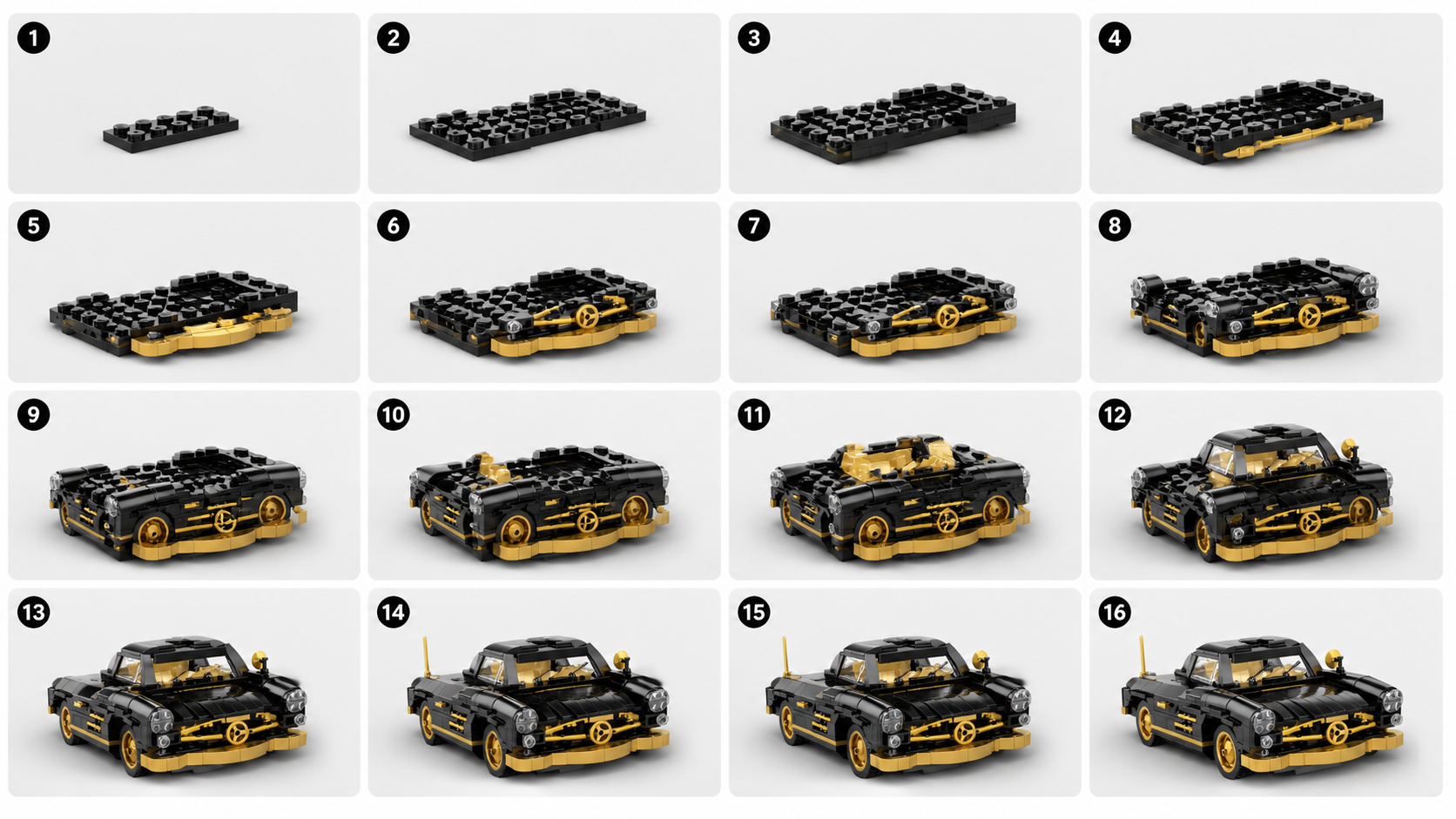
Example BrickGPT steps board generated from one finished red coupe model image.
Article
LEGO Instructions From Photo: 5 Checks Before Upload
A practical guide to deciding whether one finished brick model photo is strong enough for BrickGPT to turn into a steps board and assembly video.
Key Takeaways
One finished brick model photo can work when the full model is visible, centered, and easy to read.
The steps board should be reviewed before generating the assembly video because it proves whether the build story is coherent.
BrickGPT is best used for presentation-ready visual instructions, not official LEGO manuals or CAD-accurate part recovery.
Can one photo become LEGO-style instructions?
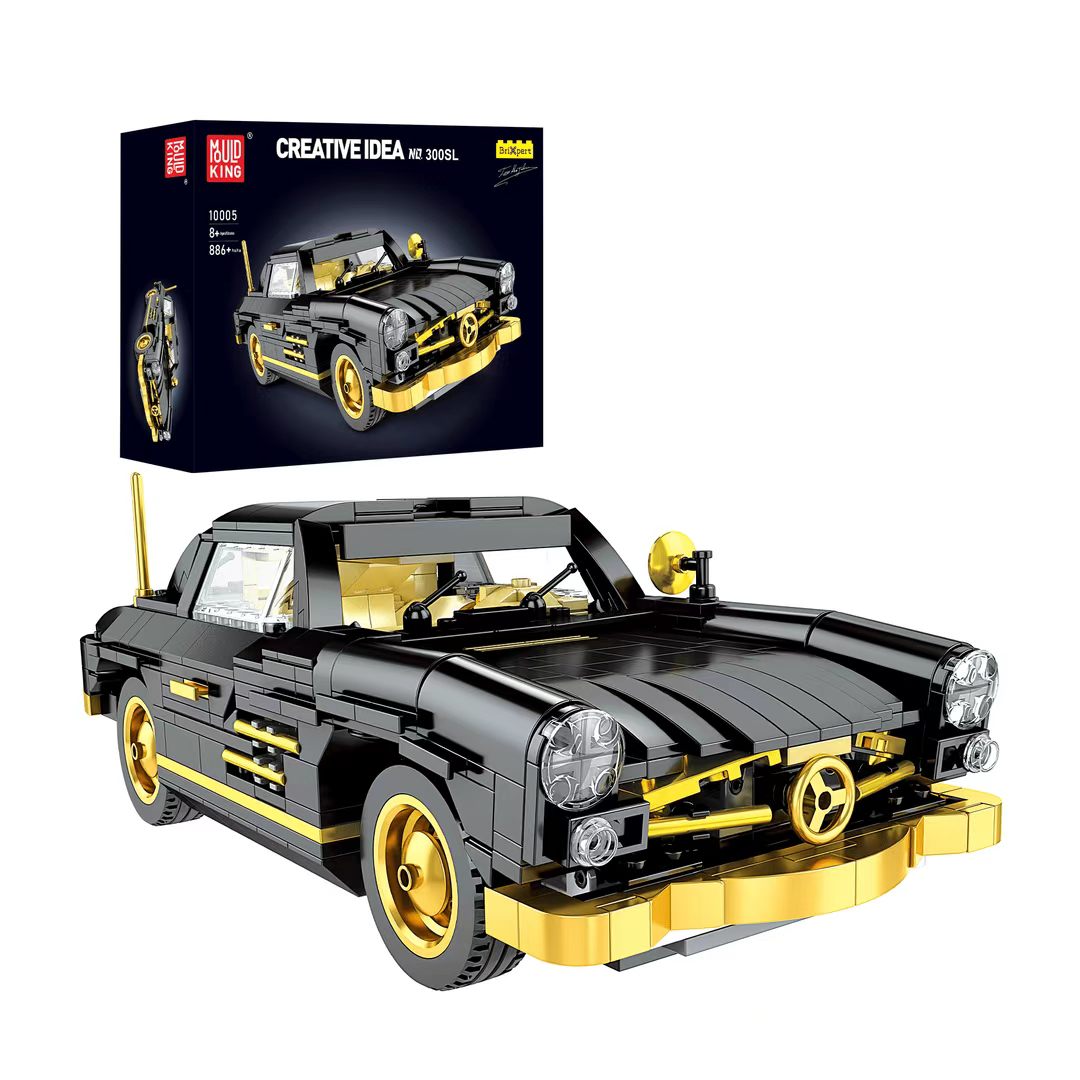
Finished red coupe brick model source image used as a BrickGPT upload example.
Yes, one finished brick model photo can become LEGO-style instructions in BrickGPT when the photo already explains the model shape clearly. The important phrase is finished model photo. BrickGPT is not asking for a vague scene, a moodboard, or a pile of parts. It needs a single image where the complete build is visible enough to become the endpoint for a visual sequence.
The output should be understood as a presentation workflow. BrickGPT creates a steps board that makes the build easier to scan and can extend that same source into a short front-view assembly video. It is useful for creators, toy sellers, collectors, and product pages where the goal is to show how a model comes together. It is not an official LEGO manual, a replacement instruction PDF, or a guaranteed reconstruction of every hidden internal brick.
That distinction matters for SEO and for users. Someone searching LEGO instructions from photo usually wants to know whether an existing model image can become something more useful than a static photo. The practical answer is yes when the model is readable, the photo is clean, and the expected output is a visual build story rather than engineering documentation.
The 5 input checks before upload
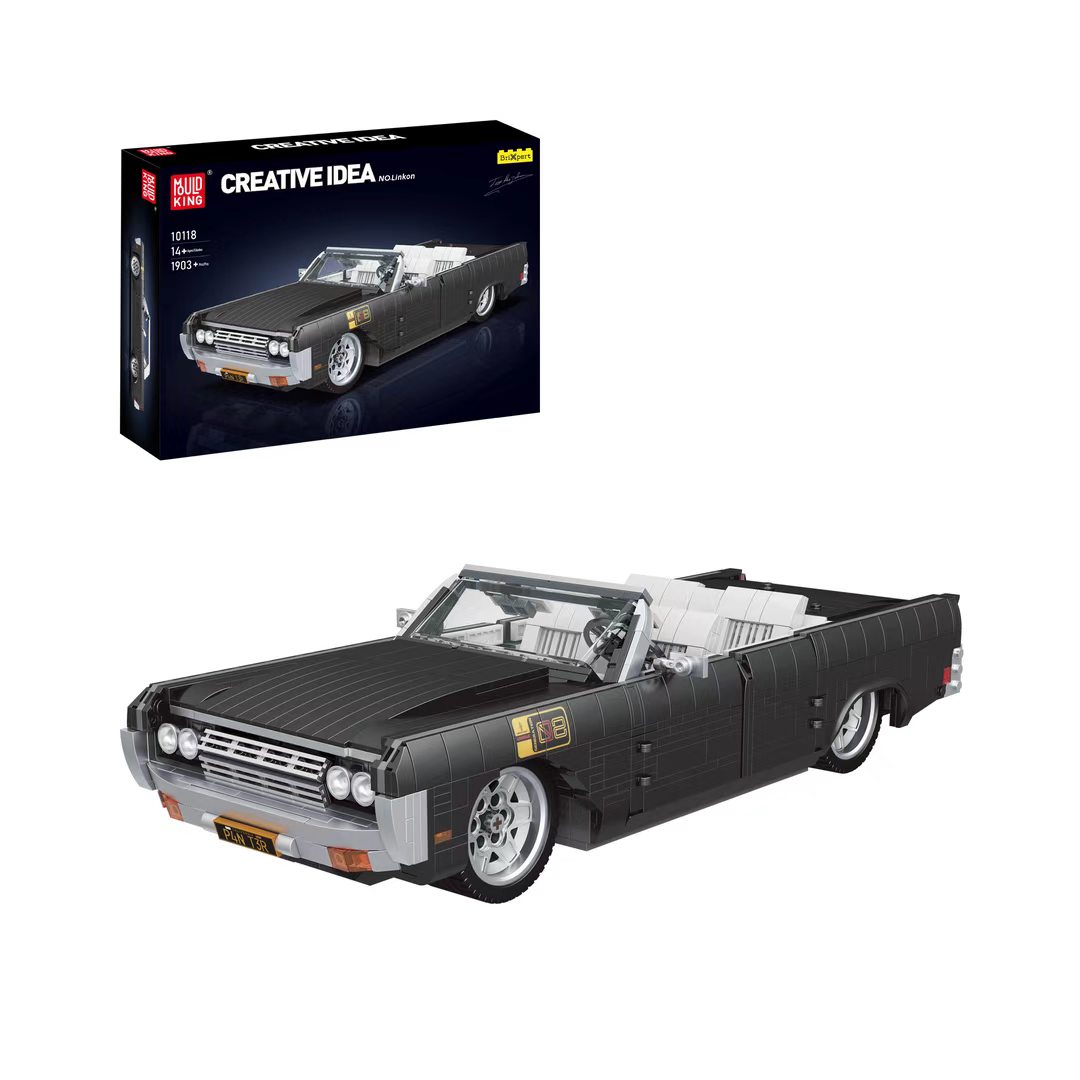
Finished blue racer brick model source image with a clean silhouette and quiet background.
Run five checks before uploading the photo. First, the full model should be visible. If the roof, wheels, base, wings, or main body are cropped out, the generated board has to guess around missing structure. Second, the silhouette should still read as a small thumbnail. If the shape collapses when you zoom out, it will usually be harder to turn into clear stages.
Third, the camera angle should be stable. A front view or slight three-quarter view is usually better than an extreme top-down shot or a dramatic low angle. Fourth, the background should stay quiet. Hands, tools, packaging, desk clutter, and reflections compete with the model and can weaken the output. Fifth, lighting should expose the edges and color zones. Deep shadows and glare hide the boundaries that the board needs to preserve.
These checks are intentionally simple because they match how users actually prepare photos. You do not need a CAD file, a full photo set, or a manual storyboard. You need one photo that shows the final object with enough clarity for BrickGPT to turn the model into a staged explanation.
What the generated steps board should prove
BrickGPT red coupe steps board showing a sequence from early model stages to the final build.
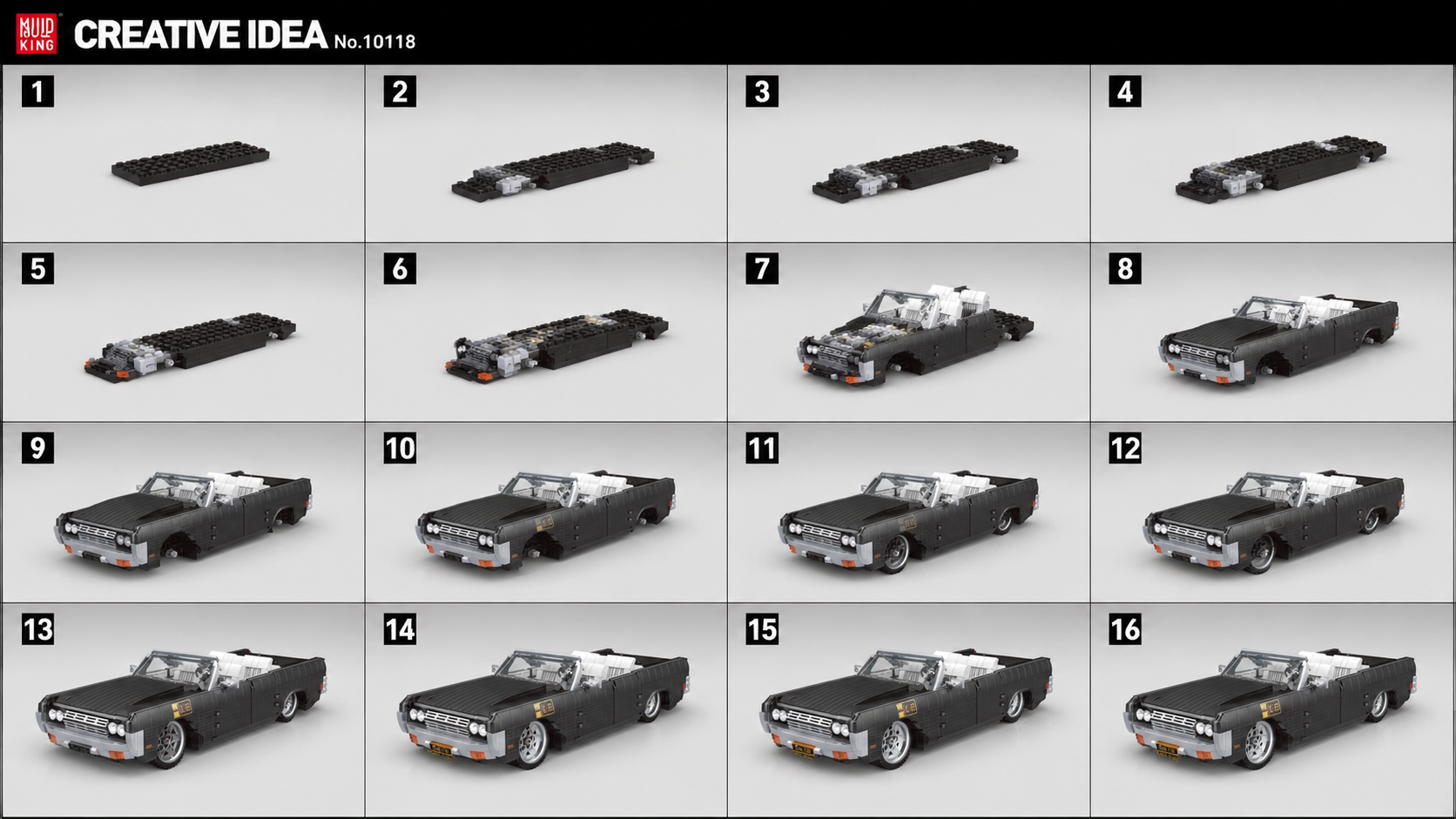
The generated steps board is the main proof point. Before thinking about video, look at whether the board gives the viewer a readable path from early structure to finished model. It should make the broad build progression easier to understand than the original photo alone.
A good board usually has three qualities. The first is sequence clarity: the stages should feel like they are moving toward the same final model instead of showing unrelated variations. The second is structural readability: major zones such as the base, body, wheels, roof, cockpit, or facade should stay identifiable. The third is output fit: the board should be useful as a creator asset, product listing image, demo visual, or social explanation.
This is why BrickGPT should not be positioned as only an AI image effect. The board is a communication layer. Users are not just asking for a prettier brick render; they are asking for a way to explain an existing build from one photo.
When to add the assembly video
Short BrickGPT red coupe assembly video generated from the same model workflow.
Add the assembly video after the board passes the readability check. The video is strongest when it reinforces a board that already makes sense. If the static board is confusing, motion will usually amplify that confusion instead of fixing it.
The right reason to generate video is distribution. A short front-view assembly clip can work better than a static image on a landing page, product page, launch post, or social feed because it shows progression quickly. It helps someone understand the build story without asking them to inspect every panel of a board.
The video should also be framed honestly. It is an assembly-style presentation asset, not a physics simulation or official build validation. For BrickGPT's current positioning, that honesty is valuable because it attracts users who need a shareable explanation and filters out users expecting a technical CAD pipeline.
Common mistakes that weaken the output
BrickGPT blue racer steps board used to compare how readable source images become staged outputs.
The most common mistake is uploading a photo that looks interesting to a person but ambiguous to the workflow. A dramatic desk shot, a hand-held model, or a photo with props may feel more natural, but it often hides the exact boundaries that the board needs to preserve.
Another mistake is expecting prompt wording to rescue a weak source image. Prompt language can help describe intent, but BrickGPT's most important input is still the visible model. If the uploaded image hides the side profile, blurs the wheels, cuts off the roof, or places the build against a busy background, the generated sequence has less structure to work with.
The third mistake is treating the output as official instructions. BrickGPT should be used when the goal is explanation, presentation, and sharing. If the user needs a verified inventory, legal documentation, or a complete engineering manual, a CAD or manual instruction tool is the better fit.
Where this workflow fits and where it does not
BrickGPT fits best between a finished model photo and a publishable build story. That makes it useful for creators who want to show process, sellers who want a stronger product listing, and teams that need a quick demo asset without rebuilding the model step by step.
It also fits GEO and AI-search intent because the answer can be stated plainly: BrickGPT turns one clear finished brick model photo into a LEGO-style steps board and optional assembly video, with clear limits around official instructions and CAD precision. That direct answer is easier for users and answer engines to extract than a page full of broad AI claims.
It does not fit every request. It should not be sold as official LEGO instructions, exact part recovery, or a universal image-to-manual system. The strongest SEO position is narrower and more believable: LEGO instructions from photo for presentation workflows, starting from one readable finished model image.
Article FAQ
01Can BrickGPT make LEGO instructions from any photo?
No. BrickGPT works best when the photo clearly shows one finished brick model with stable lighting, a readable silhouette, and minimal background clutter.
02Do I need a CAD file?
No. The BrickGPT workflow can start from one finished model photo or render. CAD data is only needed if you require part-level engineering control outside BrickGPT's presentation workflow.
03Are the outputs official LEGO instructions?
No. The outputs are independent BrickGPT visual build-story assets. They are useful for explanation, demos, listings, and sharing, but they are not official LEGO manuals.
04What photo angle works best?
A front view or slight three-quarter view usually works best because the final model shape, major sections, and edges remain visible.
05Can I generate only the steps board?
Yes. The steps board is the first output. The assembly video is optional and is best added when the board already explains the build clearly.
Workflow Pages
Pages that convert the same topic into a tighter landing promise.
Read the educational guide here, then move into the narrower landing pages that match the same search intent more directly.
AI LEGO Instruction Generator
AI LEGO Instruction Generator From Photo
Use BrickGPT as an AI LEGO instruction generator: upload one finished model photo, create a 10-20 stage steps board, then optionally add video.
FAQ answers that reinforce the same search intent.
These answers link the article topic back to BrickGPT's actual product workflow: one image in, one board out, and one final assembly clip out.
01How does BrickGPT generate build instructions from one image?
The current workflow is intentionally simple: upload a finished model image, let BrickGPT create a visual build board, then render the same model into a share-ready assembly motion. The board is designed to show sequence and structure, not just a decorative collage.
02What kind of image should I upload?
Upload one clear image of a finished brick model. Product renders, box-style model photos, or clean front-view model images work best because the system needs enough visual detail to infer the build shape and output useful steps.
03What outputs do I get from BrickGPT?
One source image produces a steps board first, usually with 10 to 20 smaller build stages. You can stop after the board if that is all you need, or render the final front-view assembly video as a second presentation asset.
Next Step
Read enough. Now test the workflow with a real finished model image.
The content explains the setup. The value appears when the uploaded image turns into a board and a final assembly clip.