积木模型图片提示词:汽车、机甲与建筑
想制作积木模型概念图?先把下面的完整提示词用于图片生成工具,检查结果后,再将完成的模型图上传到 BrickGPT。BrickGPT 需要图片输入,单独一段提示词不能启动步骤图和视频生成。
先确定用实拍照片还是概念图
如果模型已经搭好,就拍摄实物。用生成图替代照片,可能改变车轮、屋顶、关节或颜色。探索设计或制作视觉展示、能接受虚构细节时,再使用概念图。
下面的模板是可调整的起点,没有经过特定图片模型的基准测试。积木渲染图看起来真实,并不证明连接有效、零件可购买或结构稳定。
汽车提示词:让车轮与车身清楚可见
替换车型和颜色,保持画面内只有一辆完整车辆,并在四周留出空间。生成后检查可见车轮位置,确认驾驶舱与车身结构一致。
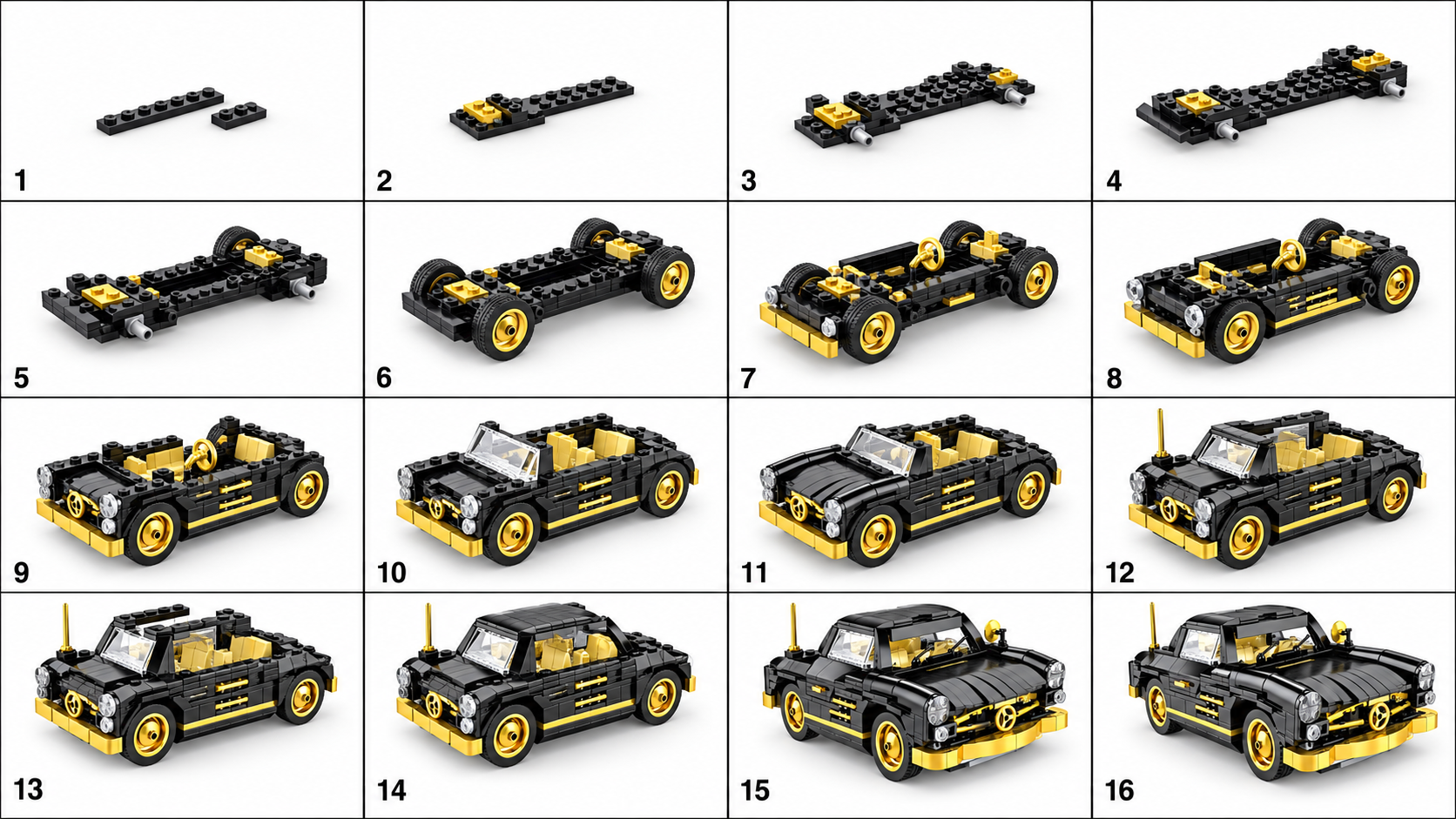
Create a studio product image of a compact coupe made from interlocking plastic toy bricks. Use a black body with gold accents and a simple enclosed cockpit. Show one complete four-wheeled vehicle, centered in a front three-quarter view, with the entire model inside the frame. Keep the visible wheel positions and body edges easy to distinguish. Use soft, even lighting and a plain light-gray background. Show recognizable studs, plates, and brick edges. No packaging, logos, text, hands, motion blur, or loose parts around the model.机甲提示词:让四肢分开可辨
先用站姿,再尝试动作姿势。检查四肢数量、双脚位置,以及肩部和髋部是否被装甲遮住。如果连模型都看不清,夸张轮廓也无助于后续展示。
Create a studio product image of a small humanoid mech made from interlocking plastic toy bricks. Use white armor with blue accents. Show a balanced standing pose, two separate arms, two separate legs, and both feet resting on a flat surface. Keep the complete model visible in a front three-quarter view. Use a plain light-gray background and soft, even lighting. Make the shoulders, torso, hips, and knees easy to distinguish. No smoke, objects covering the torso, motion blur, text, or extra limbs.建筑提示词:展示立面与屋顶
替换建筑类型、楼层数和颜色。第一版先不加树木和街道设施。检查屋顶是否落在墙体上,窗户与开口是否出现不合理重叠。
Create a studio product image of a small two-story townhouse made from interlocking plastic toy bricks. Use a tan facade, a dark-red roof, one front door, and a clearly arranged set of windows. Place the building on a simple rectangular base. Show the complete front facade and one side in a front three-quarter view. Use soft, even lighting and a plain light-gray background. Keep brick layers, roof edges, and openings readable. No surrounding city, people, trees covering the facade, text, or cutaway view.第一张图不好用时怎么修改
例如,“烟雾中的史诗机甲大战、强烈阴影、极近距离特写”会让环境遮住模型。可以改成“一个完整机甲、静止站立、四肢可见、干净背景、均匀光照”。这是提示词修改示例,并非声称已完成的前后效果测试。
↔ 左右滑动可查看全部列
| 看到的问题 | 修改方法 |
|---|---|
| 模型被裁掉 | 要求完整模型居中,四周留白。 |
| 细节融在阴影中 | 将戏剧性打光改成柔和均匀的棚拍光。 |
| 多个模型同时出现 | 指定只有一个模型,移除背景车辆、人偶和包装。 |
| 车轮、四肢或屋顶结构矛盾 | 简化设计,先修正概念图,再生成后续序列。 |
生成步骤图前先检查图片
先看大图,再看缩略图:是否都能辨认出一个完整模型及其主要外部部件?如果可以,对照公开的原图、步骤图和视频,判断是否符合你的展示需求。实际搭建需要另外核验模型和零件清单。
查看完整输出示例
无需登录。